
Introducing Ash: Open-Source Infrastructure for Production AI Agents
Ash is a self-hosted platform for deploying, managing, and observing production AI agents. Run agents on your own infrastructure with full control over data, costs, and security.
Today we're releasing Ash, an open-source platform for running production AI agents on your own infrastructure. If you're building agents and want full control over your data, cloud costs, and deployment, Ash handles the operational layer so you don't have to rebuild it.
The Problem
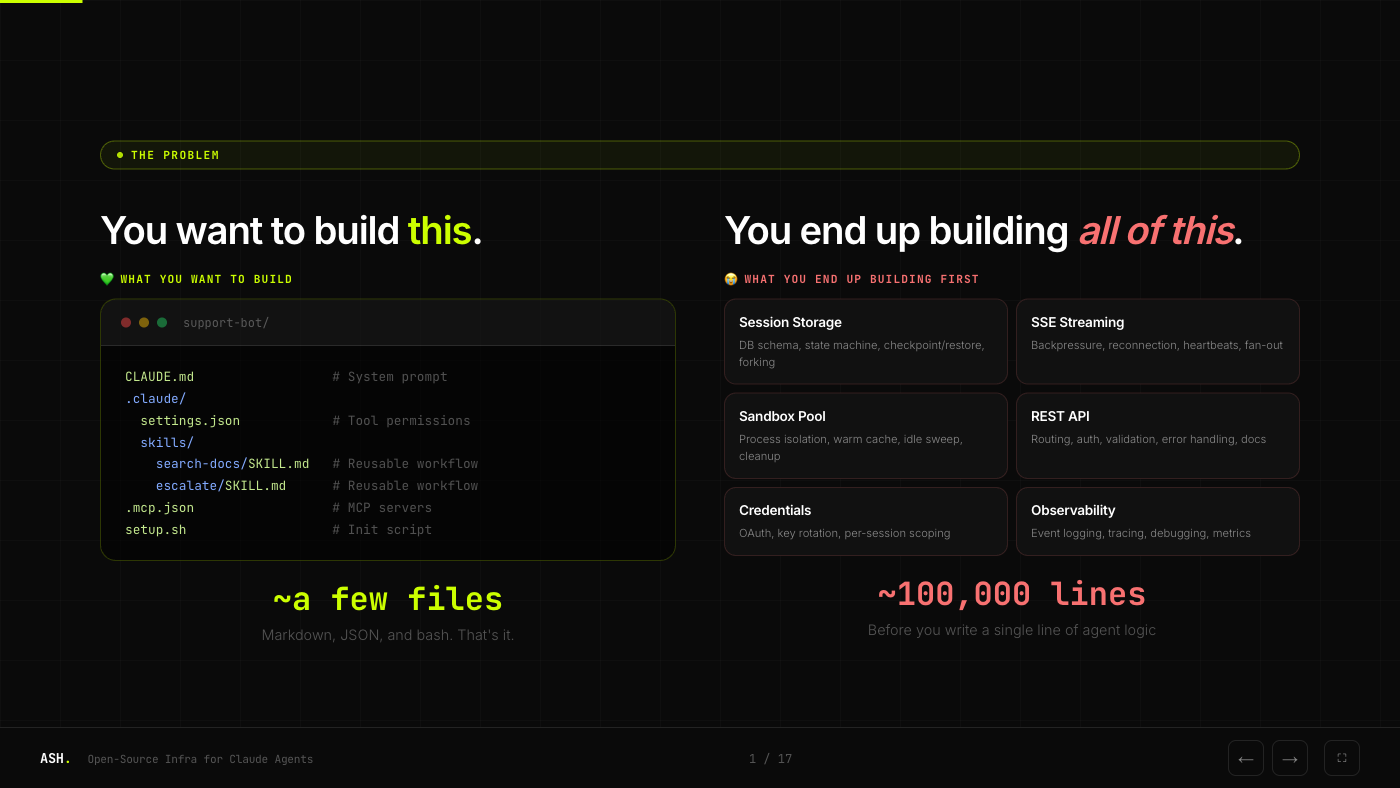
You want to build an agent. The agent itself is simple: a system prompt, some tool permissions, maybe a few MCP servers. A handful of files.
But before that agent can serve a single request in production, you need session storage, SSE streaming, sandbox isolation, a REST API, credential management, and observability. That's roughly 100,000 lines of infrastructure code before you write a single line of agent logic.
The Solution
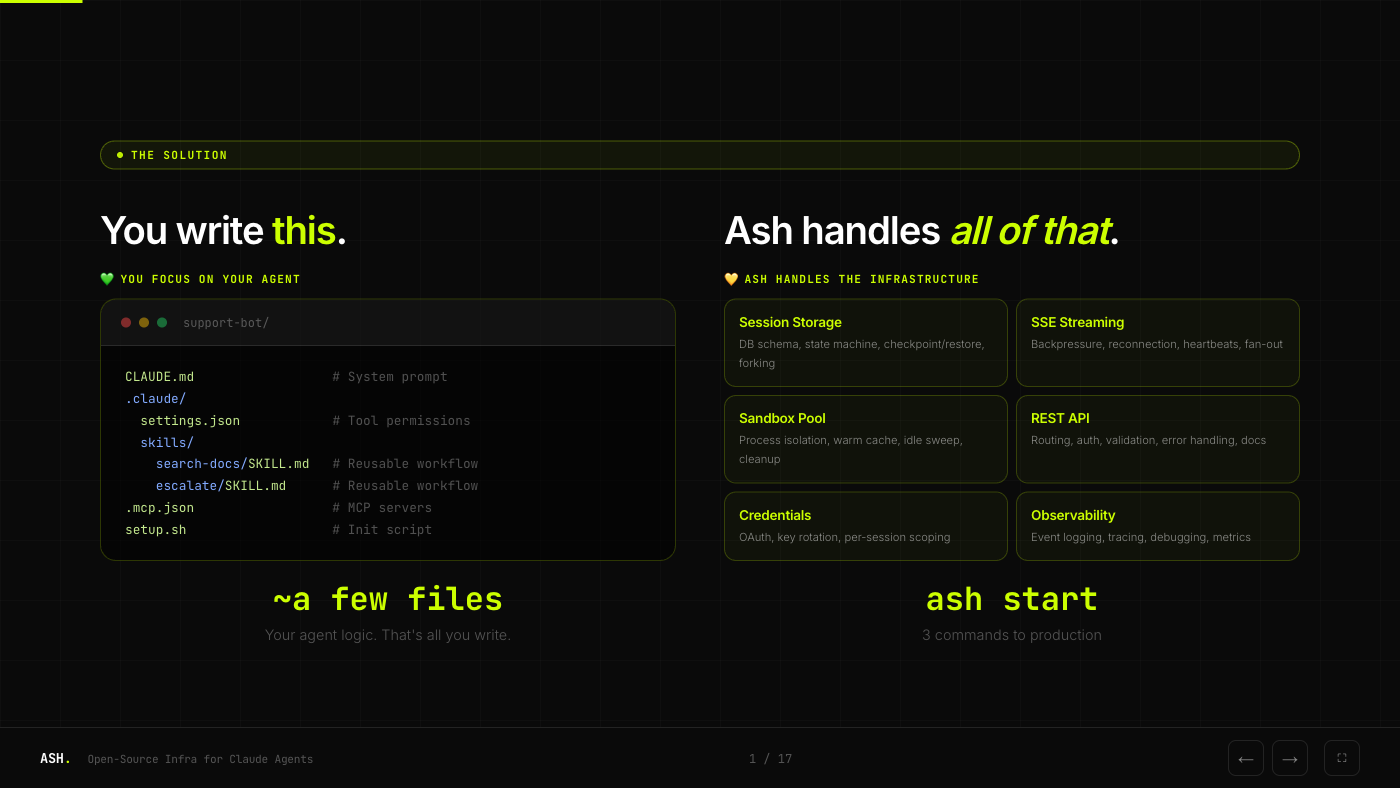
Ash handles all of that infrastructure. You write your agent, run ash start, and get a production-ready server with sessions, streaming, sandboxing, and a REST API out of the box.
Why Self-Host?
Most hosted agent platforms require you to send your data through third-party servers. For many teams, that's a dealbreaker.
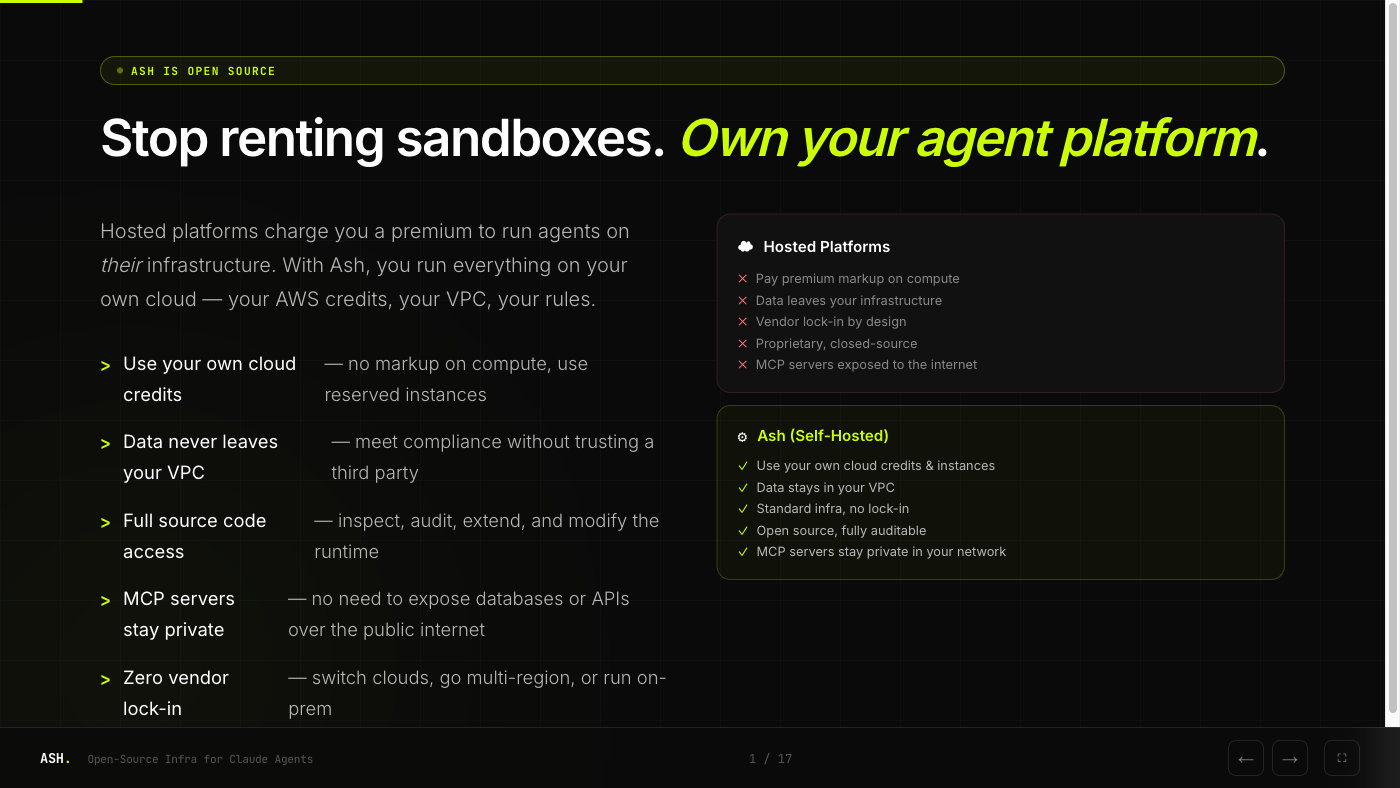
With Ash, you run everything on your own cloud. Your AWS credits, your VPC, your rules. Data never leaves your infrastructure. MCP servers stay private in your network. And it's open source, so you can inspect and audit every line.
Architecture
Ash is two products in one ecosystem. The runtime is self-hosted and free. Ash Cloud adds optional dashboards, monitoring, and team collaboration on top.
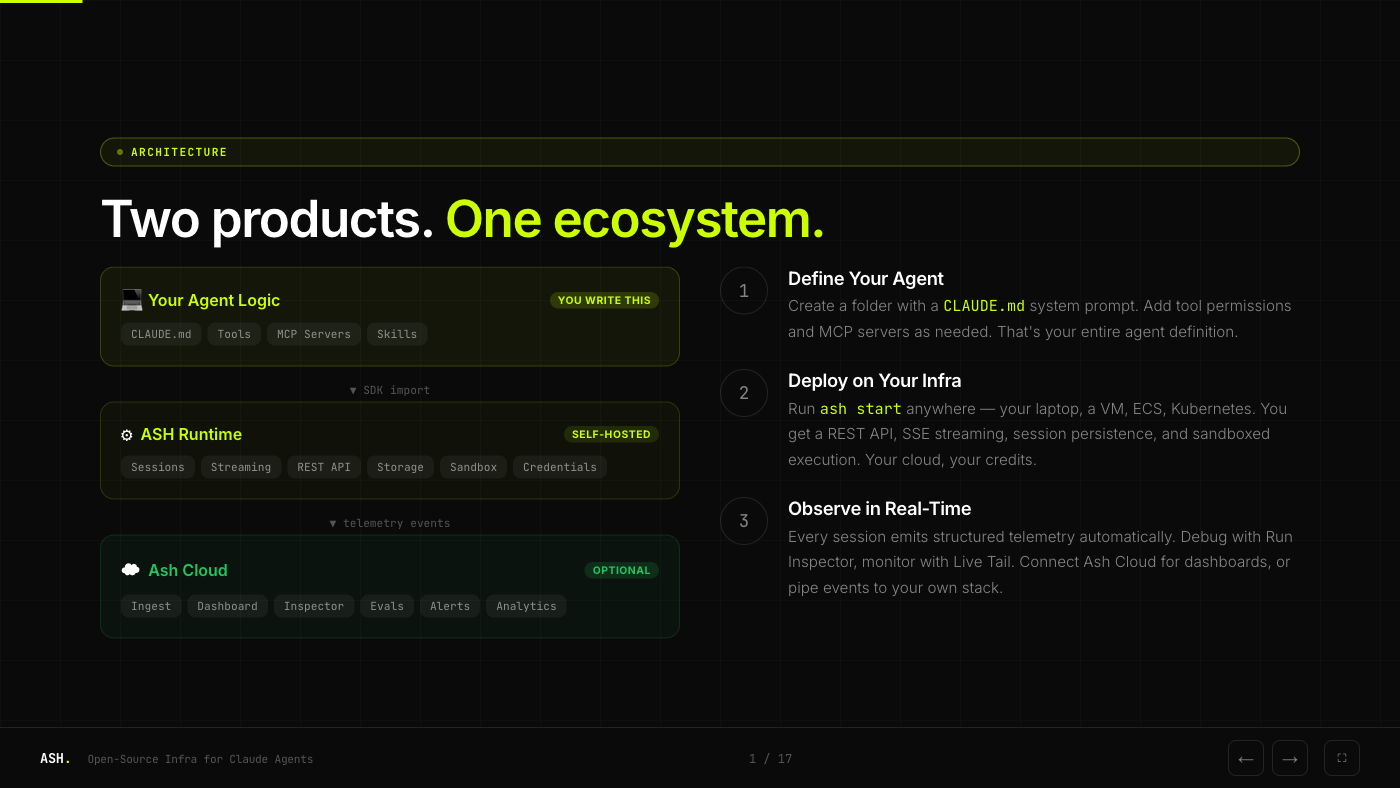
The flow is straightforward:
- Define your agent as a folder with a
CLAUDE.mdsystem prompt - Deploy on your infra with
ash start, anywhere Docker runs - Observe in real-time via structured telemetry, either in your own stack or through Ash Cloud
Performance
We built Ash to add as little overhead as possible between your client and the Claude API.
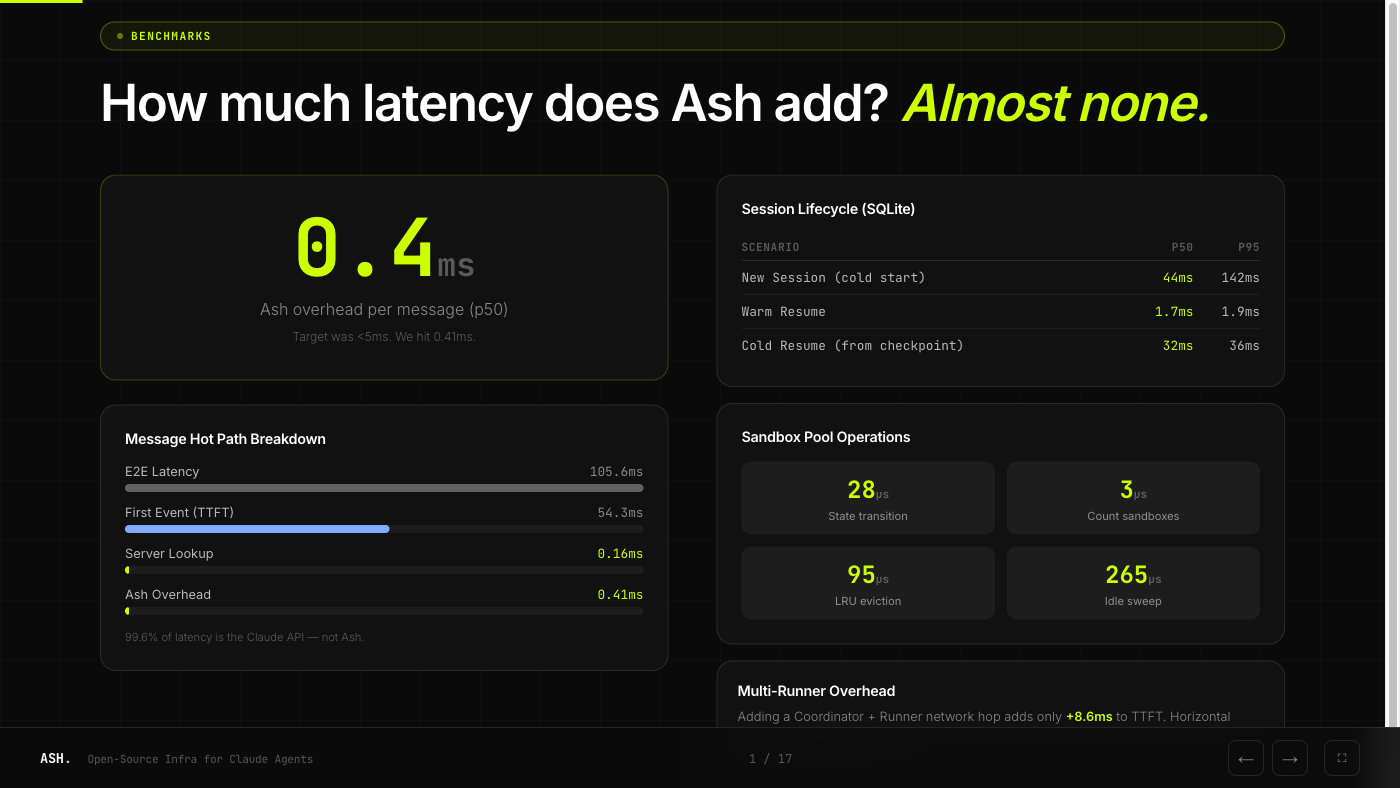
The headline number: 0.4ms overhead per message at p50. 99.6% of end-to-end latency is the Claude API, not Ash. Warm session resume takes 1.7ms. Even cold resume from a checkpoint is 32ms.
Getting Started
# Install the CLI
npm install -g @ash-ai/cli

# Deploy to your AWS account
ash deploy --provider aws --region us-east-1
Or run locally for development:
ash devThe docs have detailed guides, and the project is on GitHub. Open an issue if you have questions or want to contribute.